LOCKCURX Aluminum Laptop Briefcase
4.2Editor score
Fits 14-inch laptops
Two combination locks
Adjustable interior straps
A laptop lock box should protect valuable electronics without making them difficult to access. The right choice depends on whether you need one-device theft deterrence, a multi-device charging cabinet, a dorm-friendly lock chest, or a full safe with electronic access and mounting options.
We compared all ten products by examining their stated capacity, lock type, construction, portability, charging capability, ventilation, and intended setting. The guide covers charging cabinets for classrooms, personal safes for homes and hotels, portable cases for travel, and smaller storage chests for dorm rooms.
Each pick highlights a different practical advantage, from managing several devices to securing a single computer. Ratings and specifications reflect the supplied product information, while product availability and pricing can change, so verify the current listing before making a final purchase.
4.2Editor score

4.7Editor score
4.7Editor score
As an Amazon Associate we earn from qualifying purchases.
The comparison below evaluates ten products across capacity, access security, portability, device support, and organization. Use it to distinguish multi-device charging cabinets from personal safes, dorm lock chests, and briefcase-style protection.


The Meteteel 8 Tablet Charging Station Lock Box is a shared-device cabinet with a 4.2 rating. It combines eight individual divider slots, integrated charging, and two forms of access control in a metal enclosure measuring 10.5 inches wide by 15 inches deep by 13.75 inches high.
We may earn a commission when you buy through this link, at no additional cost to you.
Its main strength is practical device management. The cabinet accepts iPads, notebooks, Chromebooks, and other laptops with screens up to 14 inches, while the 1.5-inch-thick dividers keep equipment separated. An integrated 120V, 15A horizontal power strip supplies eight outlets, and ventilated sides support airflow during charging.
Security is stronger than a single basic lock because the product includes a combination lock and two keys. The supplied mounting hardware also allows installation on a wall, which can make the cabinet harder to remove casually than a freestanding model. Its maximum stated weight capacity is 40 pounds.
This is a sensible choice for classrooms, offices, hospitals, and other shared environments that need to store and charge up to eight devices. Buyers managing more equipment should consider the 12-device model, while those wanting a simpler one-key front lock may prefer other cabinets in the guide.
Apartment living, shared workspaces, and device charging stations all benefit from a lock box that combines storage, charging, and access control. Meteteel’s model is particularly relevant when the equipment must remain organized between sessions and when wall mounting is available.
The 40-pound capacity and 14-inch device limit should guide expectations. It works best for classrooms with a defined fleet of similarly sized tablets or Chromebooks, rather than for mixed fleets with several larger laptops.
The eight-outlet power strip and individual dividers let each device charge while remaining upright and separated. This reduces the visual clutter associated with loose charging cables and makes daily device distribution more efficient.
The cabinet works as a freestanding unit or a wall-mounted enclosure, and the supplied hardware reduces installation work. Mounting can also make the unit less conspicuous than an open charging shelf.
We may earn a commission when you buy through this link, at no additional cost to you.
The Vaultz Locking Storage Chest is a keyless storage option rated 4.3. Its dual combination locks, low-profile shape, and 17.52-by-12.4-by-4.25-inch interior make it especially relevant to dorm rooms, travel, and compact home spaces.
We may earn a commission when you buy through this link, at no additional cost to you.
The interior is designed to hold most laptops and tablets while leaving room for a phone, wallet, and small essentials. Mesh netting helps separate belongings and reduces scratch contact, while a built-in cable grommet and double-loop tether provide a way to secure a cable inside the chest.
The two exterior handles make the box easier to move between a dorm, home, or a trip. That portability is valuable when the storage unit cannot be permanently mounted, and the keyless combination system avoids the need to carry or duplicate a small key.
Its main limitation is that it is a storage chest rather than a powered charging cabinet. It is best for one primary laptop or a small collection of personal electronics, not for maintaining a fleet of simultaneously charging devices.
Students, travelers, and renters should look closely at the listed interior dimensions before ordering. Those with a large gaming laptop or thicker accessories need more clearance than the stated general laptop fit suggests.
The Vaultz is a good middle ground between a soft briefcase and a heavy safe. Its keyless operation, low profile, and tether point make it especially convenient for shared rooms where a full metal safe may be impractical to move.
Two combination locks remove the inconvenience of a physical key, which is helpful in dorms and travel. The locks can be reset, allowing the owner to establish a familiar code without relying on a landlord or institution.
Dual handles and the chest-like format make the unit easier to relocate than a heavy steel safe. It is a practical middle ground for temporary storage, although it does not provide powered charging.
We may earn a commission when you buy through this link, at no additional cost to you.
The POCHAR 8-Unit Charging Cabinet is our Editor's Choice because it balances capacity, access control, charging convenience, and organization. Its 4.7 rating is among the highest in this group, and the cabinet is specifically designed for shared fleets of Chromebooks, iPads, tablets, notebooks, and other mobile devices.
We may earn a commission when you buy through this link, at no additional cost to you.
It stores and charges as many as eight devices at once. Devices up to 14 inches and one inch thick fit within the divided interior, while a horizontal 120V, 15A power strip supplies eight charging outlets. The top compartment includes cable slots, and internal dividers help prevent chargers and cords from becoming tangled.
Security is a defining feature. A combination lock protects the main front door, while a key lock secures the top door, and two keys are included. This dual arrangement offers more control than a single latch and is appropriate for schools, offices, libraries, healthcare facilities, training centers, and shared workspaces.
The metal frame, pre-drilled mounting holes, and side handles support both permanent and flexible placement. It can sit on a desktop or be mounted to a wall, while its fully assembled design eliminates complicated setup. The only meaningful constraints are the eight-device ceiling and the stated screen and thickness limits.
This is the strongest general recommendation for an organization that needs to control multiple devices and charge them in one location. Its combination of dual locks and cable management gives it a more complete institutional design than many simpler charging lock boxes.
Home users with only one or two devices may find the cabinet excessive, while larger fleets may need a 12-device unit. Within the eight-device category, however, the POCHAR offers the most balanced combination of features in this comparison.
Separate combination and key locks allow administrators to control the main device compartment and the upper cable area differently. That makes the cabinet more adaptable than a single-lock enclosure.
Eight divided charging bays, a dedicated outlet strip, top cable slots, and movable handles address the daily realities of checking devices in and out. The cabinet is ready for immediate deployment and can also be wall-mounted.
We may earn a commission when you buy through this link, at no additional cost to you.
The Meteteel 12-Device Charging Cabinet holds up to 12 devices and carries a 5.0 rating. It is designed for schools, offices, libraries, hospitals, training centers, and other shared environments where maintaining a larger inventory of mobile devices is necessary.
We may earn a commission when you buy through this link, at no additional cost to you.
Unlike many eight-bay cabinets, this model supports devices up to 15 inches and one inch thick. It accommodates common iPad, Chromebook, Surface, Samsung Galaxy Tab, Lenovo, Acer, and HP device families, with a 12-outlet power strip that includes overload protection.
Ventilation holes appear on all four sides to help dissipate heat during charging. Cable management slots keep cords organized, and the metal body is designed to resist deformation over extended use. These are practical details for a cabinet expected to remain plugged in and loaded regularly.
The unit measures 19.8 by 15 by 14 inches, making it larger than the eight-device options. It offers carry handles for repositioning and pre-drilled holes for optional wall mounting, with the necessary hardware included. A front key lock and two keys provide device access control.
This is the better choice when eight slots would not meet the fleet size, particularly if some devices have 15-inch screens. It may be excessive for a family or small team, but it provides useful scale for institutional device management.
The 5.0 rating is encouraging, though ratings should be considered alongside capacity and compatibility. Buyers should count their current and planned devices, check the one-inch thickness allowance, and allow adequate clearance around the cabinet before choosing it.
Twelve bays and support for screens up to 15 inches distinguish this cabinet from compact eight-device models. That makes it a more practical choice for mixed fleets that cannot all be limited to smaller tablets.
Ventilation on all four sides supports heat dissipation, while the protected power strip and cable slots help maintain an orderly charging setup. These features matter most in rooms where the cabinet operates continuously.
We may earn a commission when you buy through this link, at no additional cost to you.
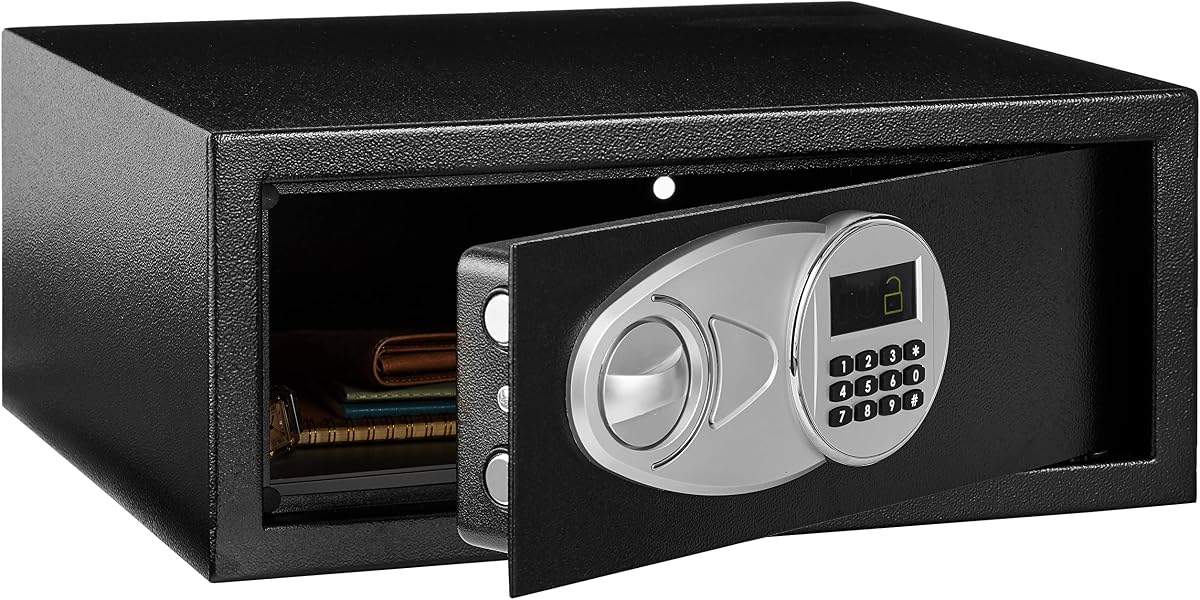
The Amazon Basics Steel Security Safe provides a familiar middle-tier option with a 4.6 rating. Its 0.7-cubic-foot capacity is suitable for documents, jewelry, cash, and portable electronics, while its steel construction and electronic keypad offer more substantial protection than a briefcase.
We may earn a commission when you buy through this link, at no additional cost to you.
The interior measures 16.77 by 11.93 by 6.93 inches and includes a carpeted floor intended to protect belongings from scratches. Two live-door bolts and concealed, pry-resistant hinges add resistance to forced entry, while the digital code can be reprogrammed as needed.
Two emergency override keys provide a backup if the batteries fail. Four AA batteries are required for normal operation but are not included, so new owners should account for that small setup item. The safe weighs 19.8 pounds and can be mounted to a wall, floor, or shelf with the included bolts.
The 0.7-cubic-foot space may be tight for a large laptop together with chargers and files, so buyers should compare their equipment with the stated internal dimensions. It is better suited to a smaller computer, compact accessories, and valuable documents than to a bulky workstation.
This model makes sense for a home office, bedroom, or rental where a programmable lock and anchorable steel body are priorities. It offers fewer advanced features than the ACS-6 and AXS-5 digital safes, but its straightforward design and 4.6 rating make it a practical choice.
A reprogrammable keypad avoids the need for a daily physical key, while two override keys provide emergency access. Users should record the programmed code in a secure location and test the backup before storing important items.
The included floor, shelf, and wall-mounting bolts let users improve stability in the location that suits them. Anchoring is particularly useful in a rental or shared space where a portable safe could otherwise be moved easily.
We may earn a commission when you buy through this link, at no additional cost to you.
The fully assembled 8-Device Tablet & Laptop Charging Cabinet has a 4.7 rating and focuses on straightforward device storage. It holds up to eight laptops, Chromebooks, tablets, iPads, or notebooks, making it suitable for classrooms, offices, libraries, and reception areas.
We may earn a commission when you buy through this link, at no additional cost to you.
Dividers help separate devices during charging, while ventilated side panels are intended to improve airflow and reduce heat buildup. The integrated UL-listed eight-outlet power strip supports simultaneous charging, and the lockable steel door includes two keys for controlled access.
The cabinet ships fully assembled, so it does not require a complicated installation process. Mounting hardware is included for optional wall or desktop placement, and the compact format is intended to reduce the space consumed by unmanaged device storage.
Compared with the POCHAR model, this cabinet offers a simpler security arrangement because it does not list separate front and top locks. It may therefore be a more straightforward option for facilities that do not need layered access to a cable compartment.
Buyers should confirm that their devices fit the 14-inch limit and the cabinet's available divider space. If eight bays are sufficient, the combination of steel construction, ventilation, and a listed power strip makes this a capable all-around shared-device solution.
It is also a practical selection for organizations that value rapid deployment. Since it arrives complete, teams can organize their existing devices without first assembling dividers, positioning outlets, or mounting a power distribution system.
The fully assembled design is one of the most useful features for schools and offices. After unpacking, placement, device loading, and power connection are the primary setup steps.
Ventilated side panels and separate device dividers help support airflow and keep equipment separated. The integrated listed outlet strip removes the need for a separate multi-outlet accessory at each station.
We may earn a commission when you buy through this link, at no additional cost to you.
The TOTOY Portable Steel Lock Box is a lightweight personal safe rated 4.3. It combines a solid steel shell, resettable three-digit code, and foam-lined interior in a package designed to move easily between a dorm, office, vehicle, closet, or trip.
We may earn a commission when you buy through this link, at no additional cost to you.
The interior accommodates 13- and 14-inch laptops along with documents, cash, passports, and other valuables. Thick 2.5D contoured foam lines the internal walls, creating a shock-absorbing surface intended to limit scratches, dents, and shifting during transport.
At 8.4 pounds, it weighs substantially less than the larger digital safes. A smooth rotating metal handle supports one-handed carrying, while the compact footprint fits into drawers, car trunks, and shelves. Normal access uses the resettable combination, eliminating the need to track a key.
The three-digit code is simpler than a longer numeric or electronic system, and the product does not provide charging capability. It can also be paired with a standard A4 fireproof document bag for layered document protection, but the bag is not included.
This model is well suited to people who need portable theft deterrence for a laptop and small valuables rather than a permanently installed safe. It is also a natural choice for dorms and business trips where carrying a heavy electronic safe would be inconvenient.
Users should measure the laptop before purchase and use the foam-lined interior as intended. The portable format is the central benefit, so those who need anchoring, detailed access records, or multi-device charging should choose a larger safe or cabinet.
The steel body and locking mechanism offer a step up from ordinary luggage, while the rotating handle keeps the unit practical to carry. It provides a useful balance between protective construction and easy relocation.
Full-surround contoured foam cushions the laptop and other belongings on multiple sides. This is especially helpful during travel, where repeated handling and vibration can cause unsecured items to shift.
We may earn a commission when you buy through this link, at no additional cost to you.
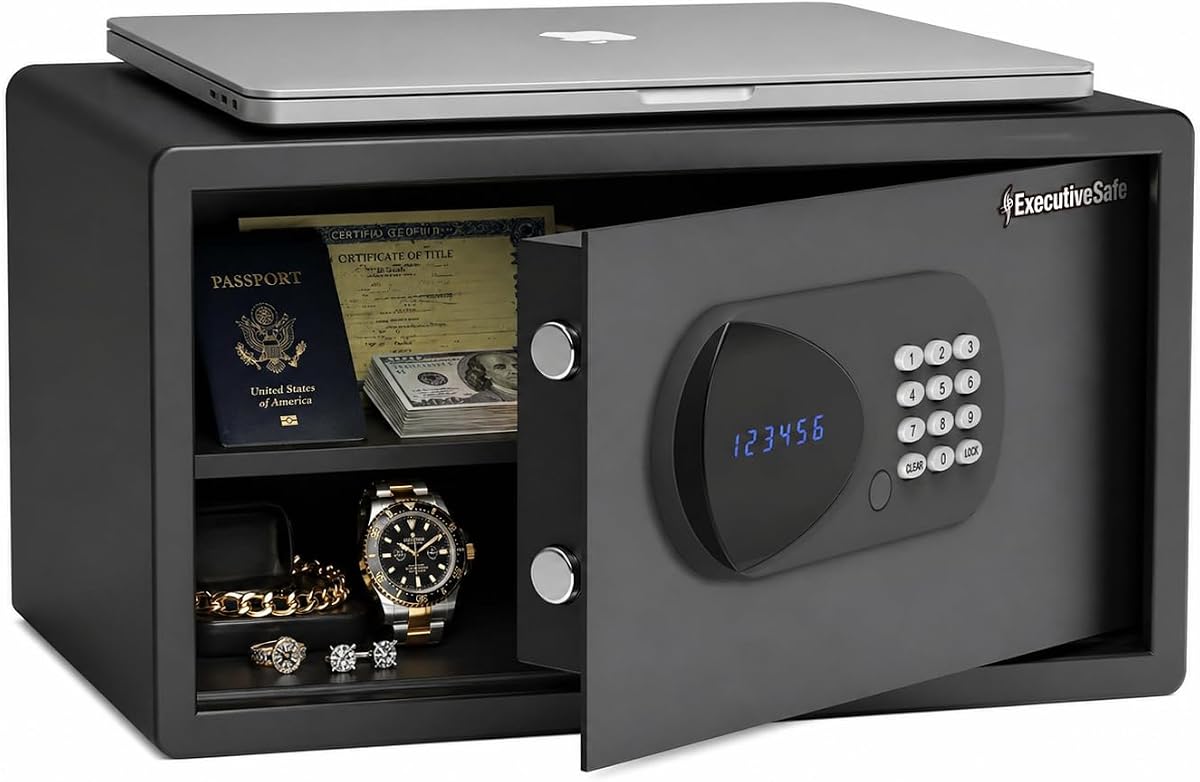
The ACS-6 Large Laptop Safe is our Best Premium selection, combining a 4.7 rating with advanced electronic access and ample capacity. Its 1.25-cubic-foot interior fits most 17-inch laptops while leaving room for documents, cash, jewelry, passports, medicine, and other valuables.
We may earn a commission when you buy through this link, at no additional cost to you.
The safe uses solid steel construction, a seamless pry-resistant body and door, concealed hinges, and two 0.8-inch motorized locking bolts. A four-to-six-digit user code opens the door automatically, while a programmable master code, automatic lockout after four incorrect attempts, and two override keys provide additional control.
Access records are another distinguishing feature. The built-in audit trail stores the last 100 opening and closing events with dates and times, while the LED display shows status information. An external USB emergency power port offers a temporary power option if the batteries are depleted.
The safe is designed for permanent placement. Pre-drilled holes and fixing hardware allow mounting to a wall, floor, or shelf, and a removable shelf with carpeted flooring helps organize and protect contents. At 35.3 liters of internal capacity, it is better suited than smaller models to a large laptop with accessories.
The tradeoff is weight and complexity. Unlike a lightweight portable lock box, this safe is intended to be installed and used like a home, office, hotel, or rental safe. Buyers who value a permanent solution and detailed access control will find these features worthwhile.
It stands out as the most complete premium option in the list because it combines capacity, motorized bolts, programmable codes, emergency methods, an access log, and mounting flexibility. Few competing products in this roundup provide all of those capabilities together.
The 100-event audit trail records when the safe was opened and closed. Hotels, offices, landlords, and households managing access for multiple people can use this information to monitor use of the safe.
Motorized steel bolts, concealed hinges, a pry-resistant body, automatic lockout, and emergency overrides work together to support dependable access. Four AA batteries are included, while the USB port supplies temporary emergency power.
We may earn a commission when you buy through this link, at no additional cost to you.
The LOCKCURX Aluminum Laptop Briefcase is our Best Budget pick and carries a 4.2 rating. It offers a more structured alternative to a soft laptop sleeve, with a rigid aluminum exterior, two combination locks, and a professional format suited to commuting and business travel.
We may earn a commission when you buy through this link, at no additional cost to you.
The stated interior measures 14.8 by 11 by 4.2 inches and fits a 14-inch laptop along with folders, notebooks, documents, chargers, and office accessories. Three adjustable Velcro straps help keep these items from sliding or shifting while the case is being carried.
Its briefcase design may be particularly appealing to people who do not want a conspicuous safe on a desk. The aluminum shell resists everyday bumps, scratches, and wear, while the ergonomic handle offers a familiar way to carry files and electronics together.
This is not a steel safe, fireproof document chest, or charging cabinet, and it should not be represented as one. Its security is aimed at casual theft deterrence and keeping belongings organized, rather than resisting a determined pry attack or providing an access log.
It is a good choice for commuters, students, office workers, and travelers who want their computer secured during transit. Those needing permanent anchoring, multi-device storage, or stronger home-safe construction should choose one of the purpose-built safes or cabinets.
For the budget category, the LOCKCURX offers a useful combination of locking hardware, structured protection, and professional appearance. Its two locks and adjustable interior make it a more complete briefcase than a basic padded sleeve.
The rigid aluminum exterior offers structure without the bulk of a full safe. It provides a professional appearance and enough separation from ordinary luggage to make the contents less immediately visible.
Three adjustable Velcro straps can be arranged around a laptop, files, and smaller accessories. This keeps frequently used items in place and helps protect their surfaces during ordinary travel.
We may earn a commission when you buy through this link, at no additional cost to you.
The AXS-5 Large Digital Laptop Safe has a 5.0 rating and brings advanced safe features to home, office, hotel, and dorm use. Its 1.05-cubic-foot capacity is designed to hold most 17-inch laptops as well as passports, documents, medicine, cash, and jewelry.
We may earn a commission when you buy through this link, at no additional cost to you.
The safe is built from solid steel with a pry-resistant body and door, concealed hinges, and two 0.8-inch motorized locking bolts. The door opens automatically after a correctly entered four-to-six-digit code, while a programmable management master code supports controlled access for shared environments.
The digital system also includes an audit trail storing the last 100 opening and closing records with dates and times. A low-battery warning, battery check, two emergency override keys, and an external USB emergency power port provide ways to manage power and access concerns.
Pre-drilled holes and fixing hardware allow the safe to be mounted to a wall, floor, or shelf. It weighs 21.8 pounds and measures 16.9 inches wide by 13.8 inches deep by 8.8 inches high, excluding the additional keypad depth. Four AA batteries are included.
Compared with the ACS-6, the AXS-5 provides slightly less capacity and a shorter body, but it retains the advanced digital access, motorized bolts, audit trail, and emergency systems. That makes it a strong choice for users who want a 17-inch laptop safe in a somewhat more compact format.
The 5.0 rating should be considered alongside the safe's substantial weight and installation requirements. It is best suited to a fixed location rather than regular transport, and the included carpeted floor helps protect delicate contents from scratches.
The illuminated keypad supports programmable user and master codes, making it well suited to hotels, offices, and shared dorm arrangements. Automatic opening reduces the need for a mechanical handle, while the low-battery warning helps users stay prepared.
A 1.05-cubic-foot interior and stated support for 17-inch laptops offer more room than a conventional document safe. It can hold a computer together with common travel, work, or personal essentials without relying on multiple storage containers.
We may earn a commission when you buy through this link, at no additional cost to you.
The right laptop lock box depends on device quantity, portability, access control, charging needs, and the level of security required. Start by identifying how the box will be used rather than choosing only by exterior size or lock type.
Single-device users can focus on a personal safe, locking chest, or briefcase, while shared environments may need a cabinet with eight or twelve dedicated bays. Counting current devices and allowing for future growth helps prevent an immediate upgrade. A larger cabinet also requires more wall, shelf, or floor space and may need more outlets.
Choose a capacity that fits your present fleet with sensible room to spare.
Screen size alone does not guarantee a fit. Some cabinets accommodate devices up to 14 inches, while larger models support 15- or 17-inch laptops. Thickness, chargers, folios, ports, and the space needed to insert a device can also affect compatibility.
Measure the device and its accessories, then compare both measurements with the stated interior or device limits.
Charging cabinets include integrated power strips, dividers, ventilation, and cable-management features for keeping multiple devices powered. Personal safes and lock chests focus on storage and theft deterrence. A non-powered box can be quieter, simpler, and easier to carry because it does not need a nearby outlet.
Choose a charging cabinet only when simultaneous device charging is part of the intended use.
Options range from dual combination locks to key locks, programmable electronic keypads, motorized bolts, and emergency overrides. Electronic systems support reprogrammable codes and access histories, while keyless combinations avoid lost keys. More elaborate controls can add useful oversight but also create more setup and battery-management considerations.
Select the lock type that matches the number of users and the need for an activity record.
Steel construction, concealed hinges, live-door bolts, and pry-resistant bodies are more relevant to a permanent safe than to a briefcase-style case. Portable aluminum products primarily protect against casual loss, bumps, and opportunistic theft. None of these categories should be assumed to provide identical resistance.
Match the construction to the threat level and the likelihood that the product can be anchored.
Electronics generate heat while charging, making ventilation relevant for cabinets that remain powered. Cable slots, dividers, grommets, and a tether keep cords organized and reduce accidental unplugging. Ventilation is less critical for a passive safe used mainly for short-term storage.
For a charging cabinet, prioritize airflow and cable organization alongside its lock.
Briefcases and portable lock boxes are designed to move, while large digital safes are better installed on a wall, floor, or shelf. Charging cabinets often offer both options, allowing an institution to reposition the unit as rooms or device fleets change. Portable products should have a usable handle, while fixed products should include anchoring hardware.
Choose mobility for regular travel, or anchoring when theft deterrence and stability are the priority.
Useful extras include removable shelves, mesh pockets, padded interiors, carpeted floors, automatic door opening, and audit trails. These features improve organization, device care, or oversight. They also add bulk or complexity, so the most valuable feature depends on whether the priority is commuting, dorm storage, hotel use, or office device management.
Prioritize one or two features that solve a recurring problem instead of choosing by feature count alone.
Before placing equipment inside, measure the usable interior and confirm that each device, charger, and protective case fits. For a charging cabinet, inspect the power strip and dividers, route each cable through the intended slots, and avoid overloading any outlet. For a personal safe or briefcase, dry the interior and place the device in a clean sleeve before securing it.
Set a memorable electronic code or combination, then test it immediately. Program the master or management code separately when multiple people will use the box, and store emergency keys in a different, secure location. For a mountable unit, use the supplied fasteners on a suitable surface and confirm that the door can open fully without striking a wall, shelf, or nearby furniture.
Inspect the lock, hinges, handle, foam, dividers, ventilation openings, and power connections periodically. Keep the interior free of moisture, food, and debris, and do not overload the stated weight or device capacity. Replace keypad batteries as prompted, keep override keys accessible, and unplug the cabinet if there is unusual heat, discoloration, or an electrical fault.
The best single-laptop option depends mainly on portability and access needs. A digital safe provides stronger construction, mounting options, and programmable access, while a briefcase-style lock box is easier to carry. A locking chest is useful in dorms when portability and keyless access matter more than permanent anchoring.
Only the products specifically designed as charging cabinets include integrated outlets and device-management features. The Meteteel and POCHAR cabinets, along with the fully assembled eight-device cabinet, can charge several supported devices at once. Personal safes, the Vaultz chest, and the LOCKCURX briefcase are storage products and should not be treated as charging stations.
The ACS-6 and AXS-5 digital safes explicitly state support for most 17-inch laptops. The TOTOY portable lock box fits 13- and 14-inch laptops, while most briefcase-style and charging-cabinet products have lower screen limits. Always compare the actual device thickness and accessories with the stated internal dimensions as well.
Neither type is automatically superior in every situation. A key lock can be simple and durable, while a combination lock eliminates the need to carry a key and may allow codes to be changed. For shared-device cabinets, layered protection such as separate front and top locks can be more useful than simply choosing one lock type over another.
Mounting is recommended when permanent theft deterrence is important and the product includes compatible fixing hardware. It can make the safe harder to remove, particularly in a shared room. Check the wall or floor material and use suitable fasteners, because the supplied hardware may not be appropriate for every surface.
A metal briefcase should not automatically be treated as a fireproof document safe. Some portable steel products are designed to work with separate fireproof document bags, but the bag is not necessarily included. For important documents, verify the exact fire-resistance claims and certification for the specific product and accessory being used.
Ventilation openings, separated device slots, and organized cable paths are the most relevant features. They help maintain airflow and prevent chargers from being buried beneath equipment. Users should still keep the cabinet unobstructed, follow electrical guidance, and investigate unusual heat or discoloration promptly.
Choose a code that is memorable to you but difficult for others to guess, and avoid obvious sequences or repeated digits. Do not write the code next to the safe. For electronic safes, preserve emergency keys in a separate secure location and test the USB emergency power method before relying on it.
The POCHAR 8-Unit Charging Cabinet is the strongest overall choice for shared technology management, combining eight charging bays, dual locks, ventilation, cable organization, and flexible placement. The LOCKCURX Aluminum Laptop Briefcase is the budget pick for mobile professionals, while the ACS-6 offers the most premium combination of large capacity, motorized security, programmable access, and an audit trail.
Prioritize the function that matters most: charging and fleet control for a classroom, convenient keyless storage for a dorm, professional portability for commuting, or anchored electronic security for valuable household electronics. Check device dimensions, access requirements, ventilation, and mounting needs before choosing a model based on appearance or capacity alone.
Product listings, ratings, availability, and pricing can change, so review the current Amazon page and confirmed specifications before purchasing. The options in this guide cover very different needs, making a final choice based on your actual devices and environment more useful than selecting the largest or most elaborate box.