
Muddy CRV3 HD SD Card Viewer
4.2Editor score
4.3-inch color LCD
Up to 32GB card support
View, transfer, and delete
A trail camera SD card viewer makes it possible to review wildlife and hunting footage without returning to a computer or relying on a weak cellular signal. The right device should handle your camera’s memory cards quickly, display photos clearly, play supported video, and remain practical in mud, rain, snow, and cold.
We compared the ten options in this guide across display type, card capacity, supported devices, file-management functions, power requirements, connectivity, portability, and weather resistance. The list includes dedicated handheld viewers, tablet-style screens, and phone adapters for USB-C Android and Apple devices.
Each review explains the product’s strongest benefits and practical limitations, helping you identify the right format for your needs. Ratings reflect the supplied customer feedback, while prices and availability can change, so confirm current product details and compatibility before purchasing.
4.2Editor score

4.4Editor score

4.3Editor score
As an Amazon Associate we earn from qualifying purchases.
This comparison highlights the format, display, card capacity, and key workflow offered by each viewer, from compact phone adapters to dedicated handheld and tablet-style systems.






The Muddy CRV3 HD is a dedicated 4.3-inch field viewer with a 4.2 customer rating. Its appeal lies in offering a self-contained way to inspect trail camera photos and video without carrying a laptop, relying on a network, or learning a complicated workflow. The color display, adjustable brightness, and 1080p playback make it a practical middle ground between a simple card adapter and a larger tablet-style system.
We may earn a commission when you buy through this link, at no additional cost to you.
Its strongest feature is the combination of viewing and management. The menu supports View, Transfer, and Delete operations, while a dedicated SD card slot and Micro USB connection provide multiple ways to move or inspect content. A headphone jack adds value when reviewing videos with recorded audio, and the included wrist lanyard helps reduce the chance of dropping the viewer near mud, brush, or uneven ground.
The trade-offs are mostly about scale and capacity. Supporting cards up to 32GB keeps the device straightforward, but it may be less convenient for hunters who routinely fill larger cards. It also runs on four AA batteries, which are not included, and a dedicated screen adds more bulk than a phone adapter. Despite those limitations, the viewer gives useful functions in a portable, purpose-built package.
This is a strong choice for budget-conscious buyers who want a dedicated trail camera viewer for occasional reviews, modest card capacities, and a mix of photo and video files. It is especially suitable when convenience and outdoor handling matter more than a large display or advanced multi-card workflows.
Using a dedicated viewer means you can leave your phone protected in a pocket or bag. The compact housing, wrist lanyard, water-resistant construction, and battery operation are well aligned with checking camera cards near a stand or blind.
View, transfer, and delete options give users a basic media-management workflow. The headphone jack and adjustable volume also make the unit more useful for reviewing captured video and audio in the field.
We may earn a commission when you buy through this link, at no additional cost to you.
The Stealth Cam SD Card Reader is one of the strongest general-purpose choices in this guide, carrying a 4.4 customer rating. Its 4.3-inch color LCD provides a balanced viewing surface for trail camera photos and 1080p video, while five-point touch detection and smart gestures create a more familiar interface than a viewer controlled only by small hardware buttons.
We may earn a commission when you buy through this link, at no additional cost to you.
The device focuses on the essential field workflow: insert a supported card, browse images and videos, and use the available view and delete options. Its water-resistant housing is appropriate for outdoor use, and the wrist lanyard adds a useful safeguard against dropping the reader while moving around a hunting area or wildlife observation site.
Its simplicity is also its main limitation. The supplied feature list emphasizes viewing and deleting rather than broader archiving, transfer, or multi-card workflows. A larger card capacity is not stated, so buyers should verify the maximum supported size before using it with higher-capacity memory cards. It also does not replicate the larger, more elaborate interface of a tablet-style viewer.
Choose this model when touch navigation, a compact dedicated screen, and straightforward 1080p playback are your priorities. It is a well-balanced option for hunters who want more intuitive operation than a simple reader while retaining a device that is easy to carry into the field.
Five-point touch detection supports responsive, gesture-based operation. This can make browsing a folder of wildlife images feel more natural, particularly when the user is accustomed to swiping and tapping on a phone or tablet.
The 4.3-inch display is large enough for detailed inspection without turning the reader into a bulky tablet. Water resistance and the included lanyard support practical use around wet vegetation and uneven ground.
We may earn a commission when you buy through this link, at no additional cost to you.
The Stealth Cam Rugged Reader combines a 4.3-inch color LCD with a 4.4 rating and a housing designed for demanding outdoor conditions. It supports 1080p video playback, lets users view and delete images, and includes a headphone jack for audio, making it more versatile than a basic card reader.
We may earn a commission when you buy through this link, at no additional cost to you.
Durability is the defining feature. The rugged, water-resistant housing and rubberized buttons are intended to withstand dust, dirt, water drops, and snowflakes. A wrist lanyard reduces the risk of losing the unit, while the Micro USB connection and SD card slot provide viewing and transfer options when the user returns to a camp or vehicle.
The reader supports SD cards up to 32GB and operates on four AAA batteries, which are not included. A Micro USB cable is also not supplied. Those omissions may matter for buyers who want a complete kit, and the 32GB limit remains relevant for users accustomed to storing large volumes of high-resolution footage.
This is a good selection for users who want a dedicated, durable screen with useful media-management features rather than a phone adapter. It is particularly relevant for regular field use where weather, accidental drops, and the need for audio playback are more important than ultra-compact portability.
Rubberized buttons and a water-resistant enclosure help protect the controls and internal components during outdoor use. The construction is suited to conditions involving dust, moisture, and snow rather than controlled indoor environments.
The SD card slot handles direct viewing, while Micro USB expands transfer options. A headphone jack allows private audio playback, helping users review video without depending solely on the built-in speaker.
We may earn a commission when you buy through this link, at no additional cost to you.
The USB-C Phone Viewer is a compact alternative to a dedicated screen, offering a 4.4 rating and direct connection to compatible phones and computers. It is built for users who already carry a modern device and want to review trail camera media without adding another screen, battery system, or physical device to their kit.
We may earn a commission when you buy through this link, at no additional cost to you.
Its file-management tools cover the core actions: viewing, saving, sharing, and deleting photos and videos. Because the reader uses a plug-and-play connection and does not require Wi-Fi or a third-party app, it is convenient in remote areas where connectivity may be unavailable. The compatibility description includes iPhone 15 and later, MacBook series, and USB-C Android devices with OTG support.
The main limitation is device compatibility. Older iPhones and Android phones without USB-C or OTG will not work with this version. The product also depends on the phone or computer for display, storage, controls, and battery life, so managing thousands of files can still be constrained by the connected device.
Buy this viewer if you prefer the phone you already own over a dedicated handheld display. It is ideal for quick inspections, selective file review, and sharing selected wildlife or hunting images without copying everything to a computer first.
The adapter uses the connected device’s display, which makes it one of the simplest and most portable options in the guide. It adds little bulk to a phone or computer bag and requires no separate charging routine.
Direct operation without Wi-Fi or a third-party application is valuable at remote hunting properties. Users can browse and organize media where cellular or internet coverage is unreliable, subject to device compatibility.
We may earn a commission when you buy through this link, at no additional cost to you.
The Wildgame Innovations Trail Pad VU70 is the most screen-focused option in the guide. Its seven-inch HD backlit TFT touch screen offers a more detailed and tablet-like way to review large collections of trail camera photos and video, while its 4.3 rating reflects generally favorable customer feedback.
We may earn a commission when you buy through this link, at no additional cost to you.
Two standard-size SD card slots are the standout feature. The primary library port can hold a card containing a broad collection of images and videos, while the archive port provides a convenient way to retain a card of selected wildlife or hunting footage. Each slot supports cards up to 32GB. The built-in speaker adds audio to video playback, and zoom, swipe, and navigation make the interface familiar to tablet users.
Its size and weight are the main compromises. A seven-inch device is less pocketable than a compact reader, and the heavy-duty weather-resistant housing adds bulk. The memory cards are not included. Users who regularly travel to remote stands may also need to consider the logistics of charging and carrying this larger viewer, though the supplied data does not specify its battery configuration.
The VU70 is ideal for serious hunters, wildlife observers, and anyone who wants a large screen plus a structured library-and-archive workflow. Its dual-card design and tablet-style operation make it a premium pick for evaluating extensive image libraries rather than simply checking a handful of recent files.
The seven-inch HD backlit display gives users more room to inspect detail, compare images, and navigate larger libraries. Touch gestures make the device function more like a conventional tablet than a small button-driven card reader.
Using one card for incoming media and another for selected finds reduces the need to scroll through an entire season’s footage. The dual standard-size slots also offer a convenient physical method for separating working and saved content.
We may earn a commission when you buy through this link, at no additional cost to you.
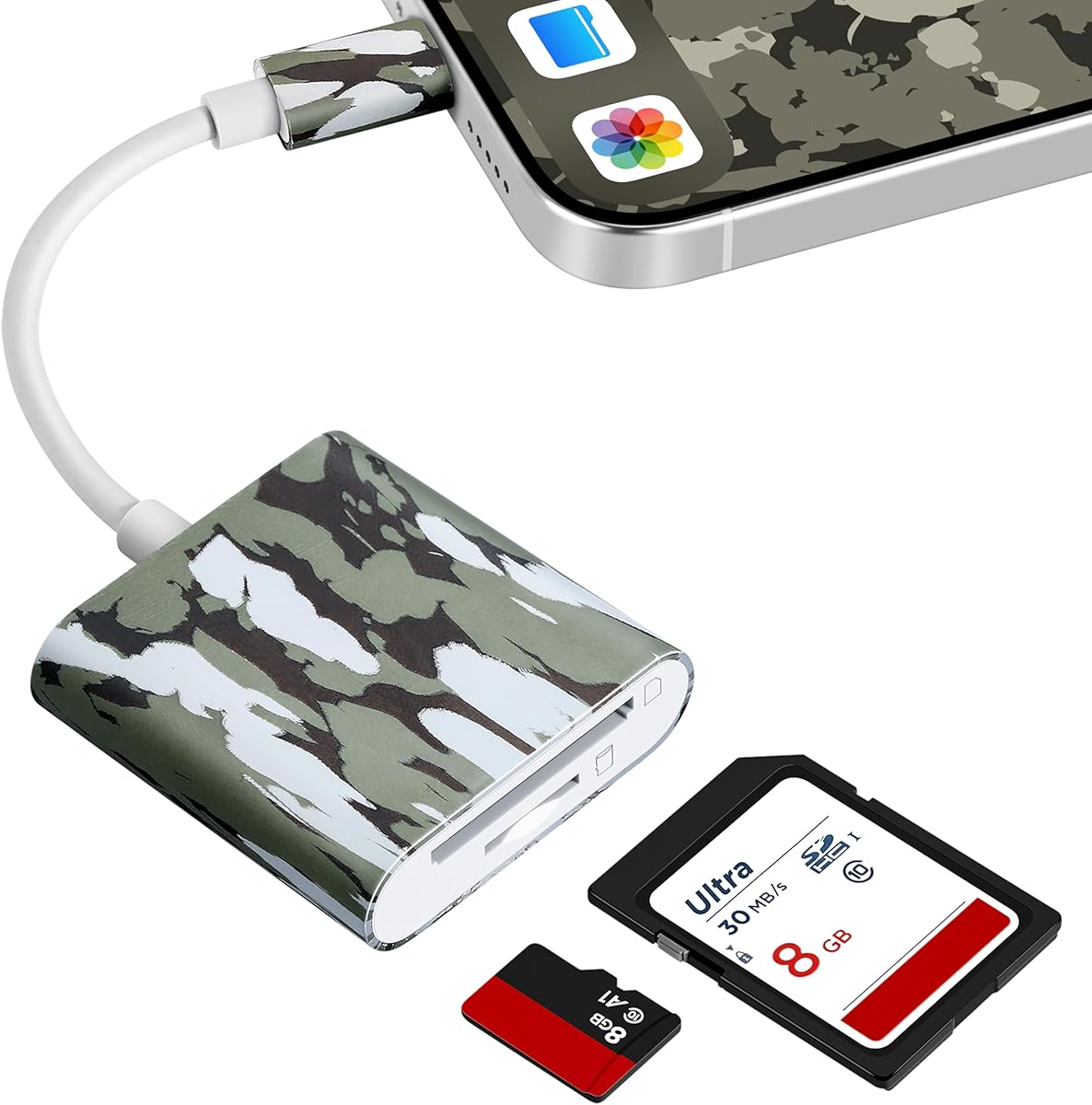
The BoneView Android Reader is a direct trail camera card adapter for USB-C smartphones and tablets, with a 4.0 customer rating. It provides a practical way to view, save, share, and delete trail camera photos and video while remaining in the field, without needing internet access, wireless service, or batteries.
We may earn a commission when you buy through this link, at no additional cost to you.
The reader supports SD and microSD memory cards used across major trail camera brands. Its plug-and-play design avoids extra applications, and the ability to swipe through images, save selections, and play most video files makes it useful for quick decisions about which shots to keep. Because it draws power from the connected device, the user does not need to manage a separate battery system.
Its narrow platform focus is the main caveat. This version is designed for USB-C Android phones and tablets, so it does not offer the cross-platform or Apple compatibility of some alternatives. It also has no screen of its own, which means the phone or tablet must remain the primary interface.
Choose the BoneView reader when you use a compatible USB-C Android device, travel where service is unreliable, and want a lightweight card adapter that handles both standard and microSD trail camera cards. It is less suitable for users who need a standalone viewer or an iPhone-based setup.
Because no internal batteries are required, the reader has one fewer component to charge, replace, or accidentally leave at home. It is particularly convenient for remote wildlife observation and hunting trips.
Direct access lets users move through many images, save important content, share selected files, and play most supported videos. This supports a selective workflow in which only worthwhile images need to be transferred.
We may earn a commission when you buy through this link, at no additional cost to you.
The Four-in-One Card Reader is a portable general-purpose adapter for trail camera media, earning a 4.3 rating. Its varied interfaces—USB, USB-C, and Micro USB—give it broader device reach than readers designed around one connector, while built-in SD and microSD slots accommodate common trail camera memory formats.
We may earn a commission when you buy through this link, at no additional cost to you.
A particularly useful feature is the charging port, which allows an iPhone or iPad to charge while file data is being transferred. The device supports memory cards up to 1TB according to the supplied information, and high-speed two-way transmission is intended to reduce waiting. Intelligent file-viewing and management functions make it possible to move between phones, tablets, and computers with greater flexibility.
Compatibility still depends on the connector available on each device. Older Apple products that use Lightning require an appropriate adapter, while Android users need compatible USB or OTG support. The reader also lacks its own screen, so it is most useful for people who already have a phone, tablet, or computer nearby. No memory card is included in the package.
This reader suits users who switch among several device types and want one compact adapter for regular card management. Its charging capability, high stated capacity, and multi-interface design make it especially attractive for travel, camp, and general field use where carrying several separate readers would be inconvenient.
USB, USB-C, and Micro USB connections make the reader adaptable across a wider range of phones, tablets, and computers. This is helpful for households or field teams that use more than one type of device.
The integrated charging port is especially relevant for iPhone and iPad workflows. Users can maintain device power during transfers instead of worrying about the phone’s battery being drained by a lengthy media review.
We may earn a commission when you buy through this link, at no additional cost to you.
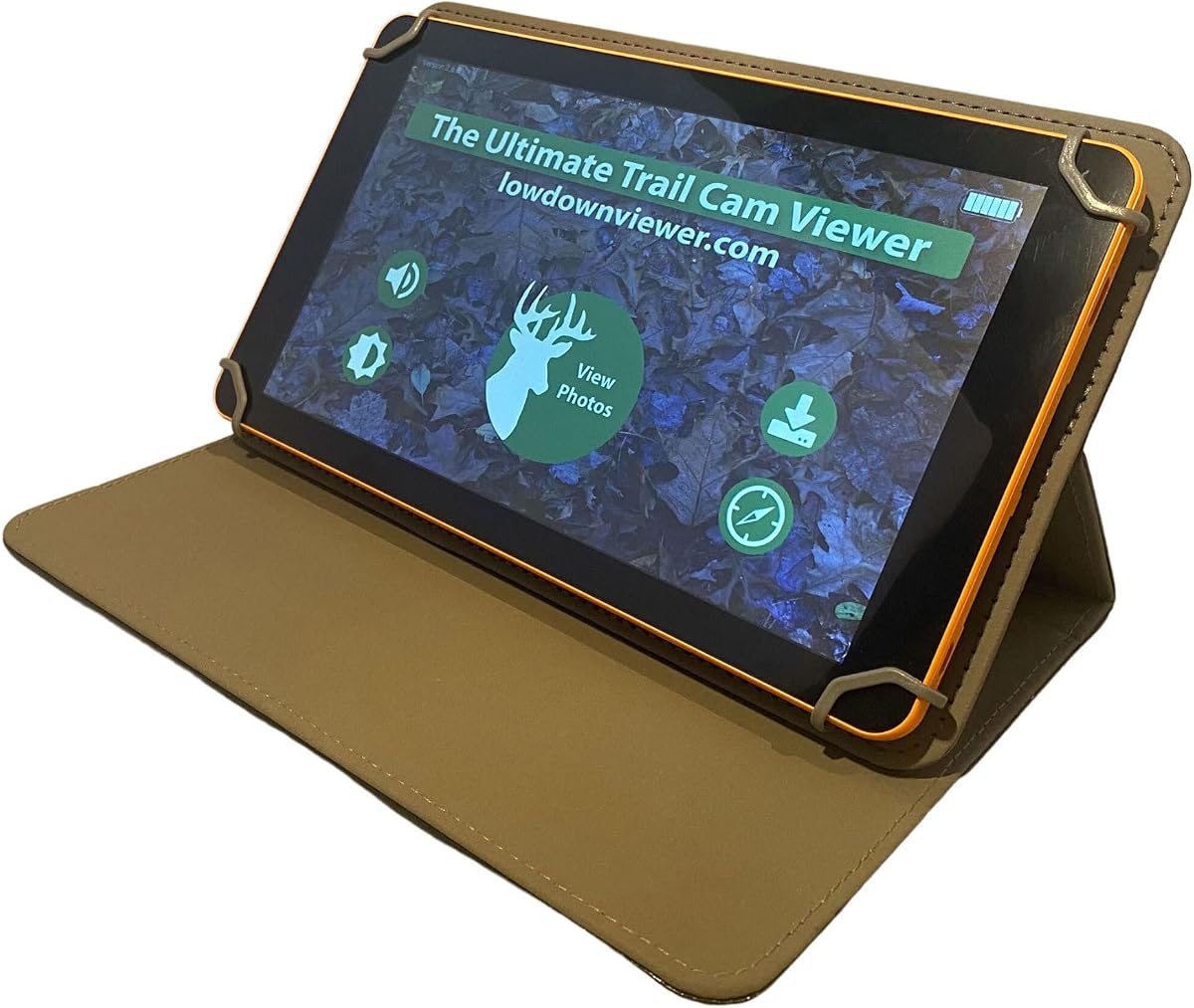
The Advanced Lowdown is designed around a specialized problem: viewing a very large number of trail camera images and videos quickly. Its 4.3 rating and three viewing modes distinguish it from basic readers, with QuickView, FullView, and Slide Show options tailored to different review habits.
We may earn a commission when you buy through this link, at no additional cost to you.
QuickView displays eight images at once in a three-quarter-screen layout, allowing users to scan large collections more efficiently. The scrollbar feature moves from the beginning to the end of a card with thousands of images in seconds. FullView presents one image at a time in partial-screen or full-screen formats, while Slide Show advances automatically. Video downloads faster and includes sound, according to the product information.
The advanced feature set adds card formatting, image enlargement, video freezing, and snapshot saving. Compatibility extends to full-size SD cards up to 128GB, and a Navigator Help System is intended to reduce reliance on written instructions. The extensive tools may feel excessive for someone checking only a few clips, but they are well aligned with high-volume workflows and demanding users.
Choose the Lowdown when card speed, collection size, and media-management depth are your primary concerns. It is a specialized option for hunters or wildlife reviewers who spend considerable time sorting footage and need a faster route through a crowded card.
Eight-image QuickView and the rapid scrollbar make it easier to locate promising frames among thousands of captures. This is a major advantage over one-image-at-a-time reviewing that can become tedious on a busy card.
Video playback with sound, a freeze-frame function, and snapshot saving support a more active review process. These tools help users capture a specific moment or examine a moving scene without relying on a separate editing workflow.
We may earn a commission when you buy through this link, at no additional cost to you.
The BoneView Android Combo pairs a USB-C trail camera card reader with a protective zipper case, making it a practical choice for Android users who want a little more organization in their field kit. Its customer rating is 4.0, and the product emphasizes the same direct, battery-free workflow found in other BoneView readers.
We may earn a commission when you buy through this link, at no additional cost to you.
The adapter can read trail camera SD and microSD cards from major camera brands and connects to compatible Android phones and tablets without extra applications, internet access, Wi-Fi, or cellular service. Users can view, save, share, and delete media while swiping through large image collections and playing most video files. A direct connection also avoids the need to power a separate viewer.
The included zipper case is the distinguishing addition, offering a way to keep the reader and related small items together and protected during transport. It does, however, add another item to carry. Compatibility is also limited to the USB-C Android format described, and readers should confirm their specific device before ordering.
This combo is well suited to Android hunters who want a dedicated trail camera reader and a protective carrying solution. It is less relevant for iPhone users or anyone who prefers a standalone display, but it remains a simple, travel-ready way to manage captured footage in the field.
The zipper case provides a place to secure the compact reader during travel. It is a modest but useful benefit for users who regularly move between vehicles, camps, and hunting locations.
Drawing power from the connected Android device removes the need for a separate battery supply. That simplifies packing and makes the adapter useful where wireless and electrical services are unavailable.
We may earn a commission when you buy through this link, at no additional cost to you.
The Apple USB-C Viewer is designed specifically for newer Apple devices, including iPhone 15 and later and USB-C iPads. It has a 3.6 rating, the lowest among the listed products, but its focused design addresses a clear need: reviewing trail camera media directly through Apple’s native Files app without installing third-party software.
We may earn a commission when you buy through this link, at no additional cost to you.
The corded connection is built to fit thick protective cases, allowing users to keep cases such as OtterBox or LifeProof on during field use. SD and microSD cards can be browsed, saved, shared, or deleted directly from the connected device, and the stated card support extends to 256GB. No batteries, Wi-Fi, or cell service are required.
Compatibility is the central constraint. This model will not work with older Lightning-based iPhones, including iPhone 14 and earlier, nor with incompatible iPad ports. The lower rating also suggests that buyers should examine current customer feedback carefully, particularly regarding device fit, app recognition, and file-navigation behavior.
This viewer is best for a recent iPhone 15 or later owner who values case-friendly connection and app-free operation. It is not the right choice for older Apple hardware, and users who need a broad cross-platform package should choose one of the multi-interface alternatives.
Users can open the Files app, browse to the SD card, and begin viewing content. Avoiding third-party applications reduces setup requirements and keeps the workflow familiar to Apple users.
The corded connector is intended to maintain a stable connection with thick protective cases. This is a useful field-oriented feature for people who avoid handling an unprotected phone in mud, snow, or brush.
We may earn a commission when you buy through this link, at no additional cost to you.
The most useful trail camera SD card viewer depends on your devices, card capacity, expected media volume, and tolerance for carrying extra equipment. Review these factors before choosing between a dedicated screen and a phone-based adapter.
A dedicated viewer gives you a purpose-built display that can be operated without your phone or computer. This is useful when you want to protect a valuable device, preserve battery life, or travel with a single device that handles both cards and media. Handheld options such as the Muddy and Stealth Cam readers use 4.3-inch screens, while the Wildgame VU70 provides a much larger tablet-style display.
A phone adapter is lighter, uses the display and battery you already carry, and may cost less. It is a better fit if you routinely work on a compatible phone or prefer to save media directly to a computer. The tradeoff is dependence on device compatibility and less protection from drops, moisture, and rough handling.
Trail camera memories may appear as standard SD, SDHC, SDXC, or microSD cards, and capacity support varies considerably among the products here. Dedicated viewers range from 32GB support in the Muddy and Stealth Cam models to 128GB in the Lowdown. The Apple USB-C Viewer supports up to 256GB, while the four-in-one reader states support for cards up to 1TB.
Check the exact card type, physical size, and maximum capacity before purchasing. Also consider how quickly you fill cards. If you routinely record long video sessions, a larger stated capacity and fast file handling may matter more than a compact body. If you review cards frequently and transfer selected files, a lower-capacity viewer may be sufficient.
Trail camera viewers should not be judged only by photo quality. Confirm that the device supports the resolution and file format produced by your camera. The Muddy, Stealth Cam, and Wildgame products advertise 1080p video playback, while the Lowdown offers HD viewing, video sound, frame freezing, and snapshot capture.
A headphone jack can make audio review more convenient and private, a feature offered by the Muddy and one Stealth Cam model. The Wildgame includes a built-in speaker, while phone adapters can use the connected device’s own speakers and audio controls. Match playback capability to the way you normally assess recorded movement and behavior.
Phone-based viewers are the most connector-sensitive products. The USB-C Phone Viewer supports iPhone 15 and later, MacBook series, and USB-C Android devices with OTG. BoneView focuses on USB-C Android hardware, while the four-in-one reader supports USB, USB-C, Micro USB, iPhone, iPad, Android, Mac, and computer connections. The Apple USB-C Viewer supports newer USB-C Apple devices but excludes older Lightning iPhones.
Check both the port and the operating-system requirements. A physical USB-C connector does not guarantee that every iPhone, iPad, or Android model will recognize a particular reader. Owning a protective case adds another consideration because some connectors may not reach the port through a thick shell.
A viewer that only displays images is useful, but many buyers also want to delete unwanted shots, save important ones, or transfer media without swapping devices repeatedly. The Muddy provides View, Transfer, and Delete options. The Stealth Cam readers support view and delete functions, while the phone-based products offer combinations of viewing, saving, sharing, and deleting.
Consider the volume of media. The Lowdown’s QuickView mode and scrollbar are designed for rapid navigation through thousands of images. The Wildgame’s separate library and archive cards provide a physical organization method. Buyers who mainly need occasional inspection can prioritize portability over elaborate management tools.
Some dedicated viewers run on AA or AAA batteries, while phone adapters draw power from the connected device and require no separate batteries. Battery-powered viewers can be practical because they do not depend on a phone remaining charged, although spare batteries add weight and must be carried. The Muddy requires four AA batteries, while one Stealth Cam model uses four AAA batteries.
The Wildgame adds auxiliary and Micro USB ports for computer and television viewing, and the Muddy also provides Micro USB. Lowdown focuses on rapid card access rather than the same broad output selection. Decide whether you need a fully standalone experience, a connected device workflow, or flexible outputs for moving media to a larger screen.
A field viewer is likely to encounter moisture, dirt, snow, brush, and accidental drops. The Muddy and Stealth Cam models use water-resistant housings, and the Wildgame VU70 has heavy-duty weather-resistant construction. Rubberized controls and wrist lanyards add protection or security for several dedicated readers.
Durability must be balanced against size. The seven-inch Wildgame is the most tablet-like option and will take more space than a 4.3-inch handheld viewer. Phone adapters are the easiest to carry but provide little physical protection for the card reader. Think about the carrying system you already use for cameras, batteries, lenses, and other hunting equipment.
Screen size affects the ability to inspect fine details, identify animals, and judge movement in a photo or video. Compact 4.3-inch screens strike a balance between detail and portability. The Wildgame’s seven-inch HD backlit TFT display offers more visual space and familiar zoom, swipe, and navigation controls, making it attractive for extended review sessions.
Touch operation is another comfort consideration. The Stealth Cam reader uses five-point touch detection and smart gestures, while the Wildgame operates as a tablet. If you prefer physical buttons or a highly compact screen, a dedicated reader may still be the more comfortable choice. Consider readability in bright daylight and the effect of any protective case.
Before inserting a memory card, confirm that its type and capacity are supported by the viewer. Turn the device on if it uses batteries, or connect it to the appropriate phone, tablet, or computer if it is a direct adapter. Handle the card by its edges and keep the contacts clean and dry. For dedicated viewers, follow the on-screen menu to select the card and open the photo or video folder.
Review a small group of files before working through the entire card. For a dedicated device, use the available brightness, volume, zoom, playback, and management controls. With a phone-based viewer, use the device’s native file browser or the required OTG workflow. Save important images, videos, or snapshots, then transfer them to a computer or a separate archive card when more permanent storage is needed.
After the review, eject or safely disconnect the reader before removing the memory card, especially when transferring to a computer. Keep the device dry, clean the contacts gently, and avoid charging a non-waterproof reader in wet conditions. Store batteries separately when they are not needed, and use a protective case or lanyard for the smallest field components.
Yes. Dedicated viewers and direct card adapters perform their core functions locally, so viewing and transferring files does not require Wi-Fi or cellular service. This makes them suitable for remote hunting properties and wildlife observation areas. Sharing or uploading selected files may still require a connection once the user returns to an area with service.
A dedicated viewer is usually easier in wet or rugged conditions because it does not expose your phone to dirt, moisture, or drops. It also preserves phone battery life and may include wrist lanyards, larger screens, or specialized file-management modes. A phone adapter is more compact and can be more convenient if you already have a compatible device and need direct saving or sharing.
First confirm whether your camera uses a standard SD or microSD card and the card’s capacity. Next, verify the viewer supports your device if it uses a phone or computer, including connector type and any OTG requirement. Also check video playback resolution, weather resistance, power requirements, and whether you need basic viewing or advanced archiving features.
Most of the dedicated viewers in this guide support video playback, with several advertising 1080p playback. Phone-based readers can play most video files through the connected device. File format and resolution support can vary, so check the camera’s recording settings and the viewer’s specifications when using newer or unusually encoded video files.
The required capacity depends on how often the camera records and how quickly you review or transfer files. Several dedicated viewers support up to 32GB, while others support 128GB, 256GB, or a stated 1TB. More capacity can reduce the need for frequent card swapping, but it should be matched to the viewer’s stated specifications and your camera’s supported formats.
It depends on the specific model. The USB-C Phone Viewer supports iPhone 15 and later, MacBook series, and USB-C Android devices with OTG. BoneView models focus on USB-C Android devices, while the four-in-one reader offers several interfaces. The Apple USB-C Viewer is limited to newer USB-C Apple hardware and does not support older Lightning iPhones.
Use the wrist lanyard included with many dedicated viewers and keep the device in a protective case or padded bag during transport. Avoid leaving a non-waterproof reader submerged or exposed to heavy rain, and dry it before opening compartments. For phone adapters, verify that the connector reaches the device port through your case and consider adding a protective sleeve.
Several options support deletion directly. The Muddy includes View, Transfer, and Delete functions, while the Stealth Cam readers support View and Delete options. Phone-based viewers typically allow files to be viewed, saved, shared, and deleted. Always confirm the correct card and file before deleting anything, and keep a separate copy of important footage.
The Muddy CRV3 HD stands out as a budget-friendly dedicated viewer with a 4.3-inch display, 1080p playback, and useful View, Transfer, and Delete functions. The Stealth Cam reader offers polished touch navigation and a 4.4 rating, while the Wildgame VU70 is the premium large-screen choice for buyers who want two physical card slots and a separate library-and-archive workflow.
Prioritize compatibility before display size or extra features. Confirm the memory-card format, maximum capacity, video resolution, and the exact connector on your phone or computer. Then choose based on where you will use the viewer: a weather-resistant standalone device suits rough field work, while a phone adapter wins when portability, direct saving, and minimal carried equipment matter most.
Finally, check the current product listing, customer feedback, and technical details before ordering. Ratings and product availability can change, and accessories such as batteries, cables, or memory cards may not be included. A careful compatibility check will make the selected trail camera SD card viewer more useful after it arrives.